We do not store credit card details.
Arduino MKR ZERO / ABX00012
We do not store credit card details.
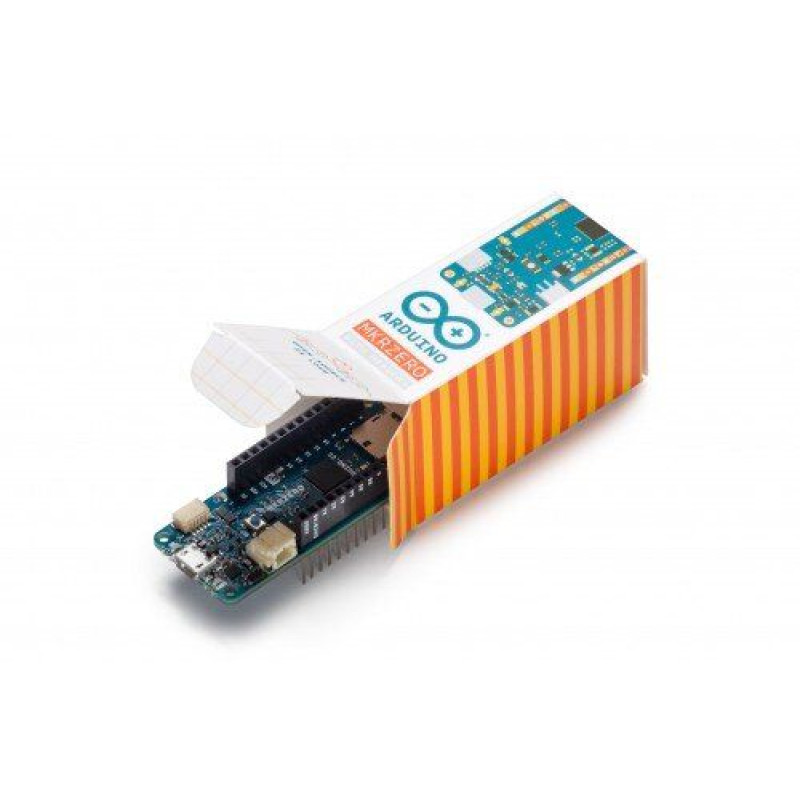
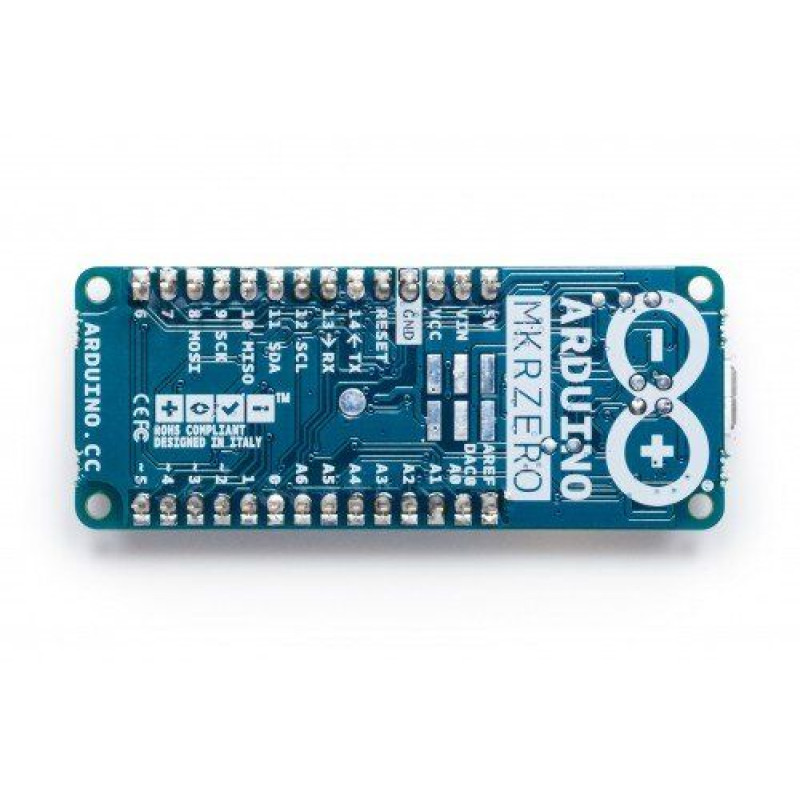
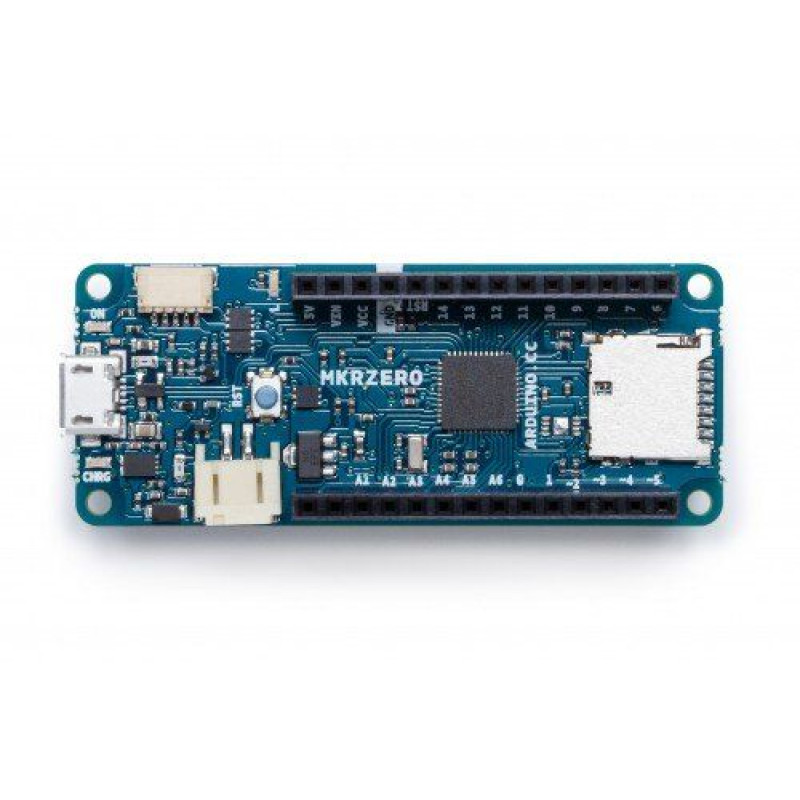
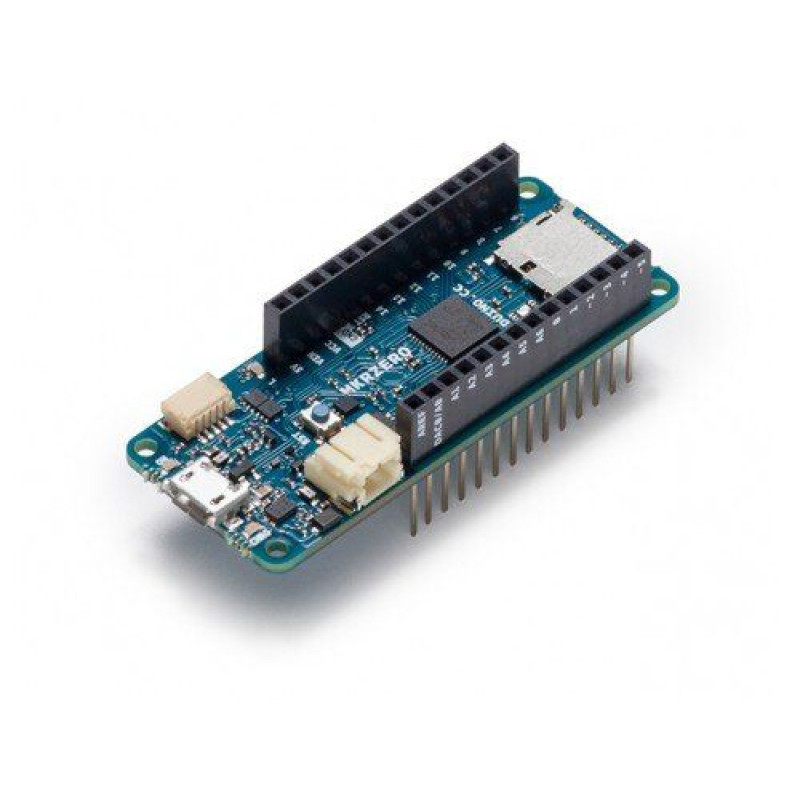
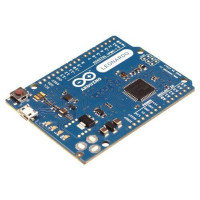
TheArduino MKR ZERO is a compact, high-performance board with a large amount of memory and strong peripherals. This board is fully supported by the Arduino IDE. Therefore, it is an excellent training device for developing 32-bit applications. A distinctive feature of this controller is that it has a built-in SD card port with a special SPI interface (SPI1). This allows the controller to play audio files without additional equipment. The board is equipped with an Atmel SAMD21 MCU microcontroller, with a 32-bit ARM Cortex® M0+ processor. The board contains everything you need to support the microcontroller; just connect it to your computer with a micro-USB cable or power it with a LiPo battery.
Note: Unlike most Arduino and Genuino boards, the MKR Zero operates at 3.3 V. The maximum voltage that the I/O pins can withstand is 3.3 V. Applying a voltage higher than 3.3 V to any I/O pin may damage the board.
Technical specifications:
| Microcontroller. | SAMD21 Cortex-M0+ 32bit low power ARM MCU |
| Input voltage (recommended) (USB/VIN) | 5V |
| Supported battery type | Li-Po single cell, 3.7V, 700mAh minimum |
| Max. value of DC current per 1 pin of the 3.3V connector | 600mA |
| Max. value of DC current on 1 pin of 5V Pin connector | 600mA |
| Operating voltage | 3.3V |
| Digital pins (I/O Pins) | 22 |
| PWM pins | 12 (0, 1, 2, 3, 4, 5, 6, 7, 8, 10, A3 - or 18 -, A4 -or 19) |
| UART PINS | 1 |
| SPI | 1 |
| I2C | 1 |
| Analog outputs (input) | 7 (ADC 8/10/12 bit) |
| Analog outputs (output) | 1 (DAC 10 bit) |
| External interrupts | 9 (0, 1, 4, 5, 6, 7, 8, A1 -or 16-, A2 -or 17) |
| Max. value of DC current per 1 pin (I/O Pin) | 7 mA |
| Flash memory | 256 KB |
| Flash memory for bootloader | 8 KB |
| SRAM | 32 KB |
| EEPROM | no |
| Frequency | 32.768 kHz (RTC), 48 MHz |
| LED_BUILTIN | 32 |
| Full-speed USB device and built-in host |
The purpose of the board connectors:

Built-in SD
The built-in SD connector allows you to play files without adding additional hardware to the board. In addition, the SD card is controlled by a special SPI interface (SPI1), so each of the connector pins is occupied when the SD card is in use. The SD library automatically recognizes the MKR ZERO, so no changes to the sketch are required to use it other than selecting the correct SS pin (SDCARD_SS_PIN).
Battery capacity
Li-Po batteries are charged up to 4.2V with a current that is usually half the rated capacity (C/2). The Arduino MKR ZERO uses a specialized chip with a preset charging current of 350 mAh. This means that the MINIMUM capacity of the Li-Po battery should be 700 mAh. Smaller cells will be damaged by this current and may overheat, form an internal gas and explode, setting everything on fire. We strongly recommend that you choose a Li-Po battery with a capacity of at least 700 mAh. A larger cell will take longer to charge, but it will not be damaged or overheated. The chip is programmed for 4 hours of charging, after which it goes into automatic sleep mode. This will limit the amount of charge to 1400 mAh per charge cycle.
Battery connector
If you want to connect a battery to your MKRZero, be sure to find a battery with a 2-pin JST PHR2 type female connector. Polarity: If you look at the board connector pins, the polarity is left = positive, right = GND.
Additional I2C port
The MKR ZERO has an additional I2C port designed to expand the I2C bus. This is a 5-pin small form factor connector with a pitch of 1.0 mm. Mechanical details of the connector can be found in its technical description. The I2C port, also called the Eslov self-identification port in Arduino, comes with: SDA, SCL, GND, +5V and an additional digital pin designed to send an alarm signal to simple I2C devices connected to it. The pin assignments are shown in the image:

The connector we offer for this additional I2C port is SHR-05V-S-B.
Vin
This pin can be used to power the board from a regulated 5 V. If power is applied through this pin, the USB power supply is disabled. This is the only way to supply 5V (5V to 6V range) to the board without using USB. This pin is an INPUT.
5V
This pin outputs 5V from the board for power from the USB connector or from the board's VIN pin. It is not regulated and the voltage is taken directly from the inputs. Since it is an OUTPUT, it should not be used as an input pin to power the board.
VCC.
This pin outputs 3.3V through the built-in voltage regulator. This voltage is equally independent of the power supply used (USB, Vin or battery).
CHARGE LED.
The CHARGE LED on the board is controlled by a charger chip that monitors the current drawn by the Li-Po battery during charging. It usually lights up when the board receives 5V from VIN or USB and the chip starts charging the Li-Po battery connected to the JST jack. In some cases, this LED starts flashing at a frequency of about 2 Hz. This blinking is caused by the following conditions that are sustained for a long time (20 to 70 minutes):
- The battery is not connected to the JST socket.
- An over-discharged/damaged battery is connected. It cannot be recharged.
- A fully charged battery is subjected to another unnecessary charging cycle. This is accomplished by disconnecting and reconnecting either the VIN or the battery itself while the VIN is connected.
Onboard LED
On the MKR ZERO, the onboard LED is connected to a dedicated pin (32), not pin 13 as on other boards. Therefore, it is recommended to use the LED_BUILTIN definition.
WARNING: DO NOT insert anything other than a Li-Po battery with the same specifications as above into the JST plug on the board. DO NOT insert the VIN into a power supply greater than 5V.
Information for developers (Wiki): Getting Started section
There are no reviews for this product.
There are no reviews for this product, be the first to leave your review.
No questions about this product, be the first and ask your question.