We do not store credit card details.
Arduino MKR Motor Carrier / ASX00003
We do not store credit card details.
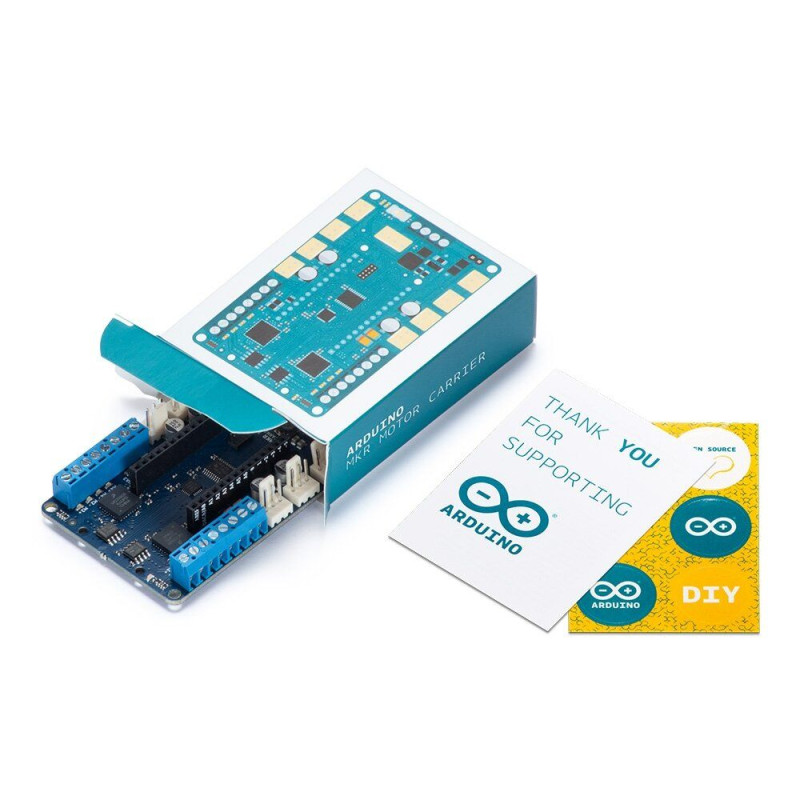
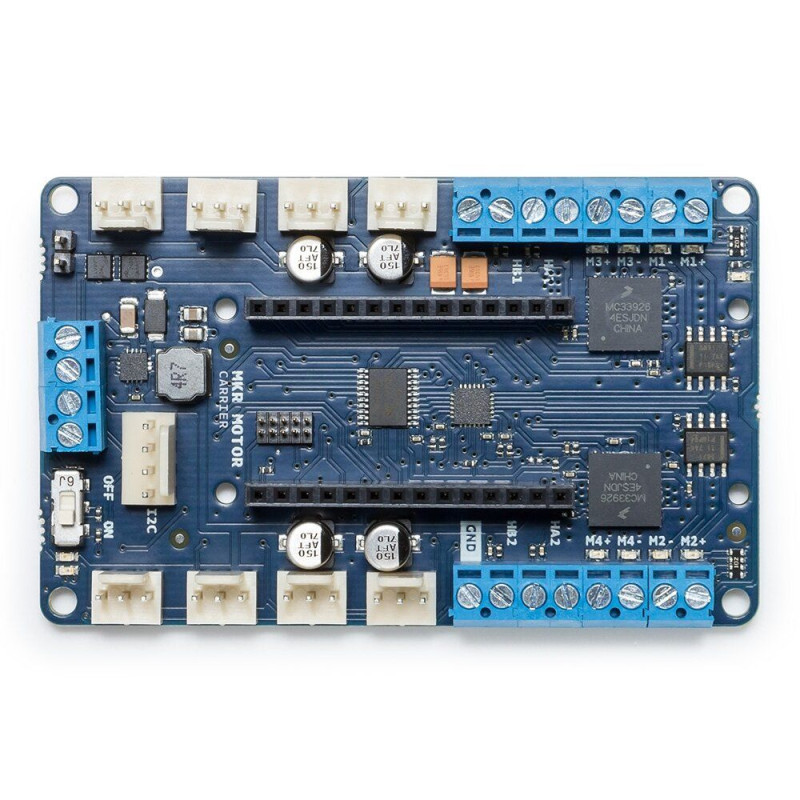
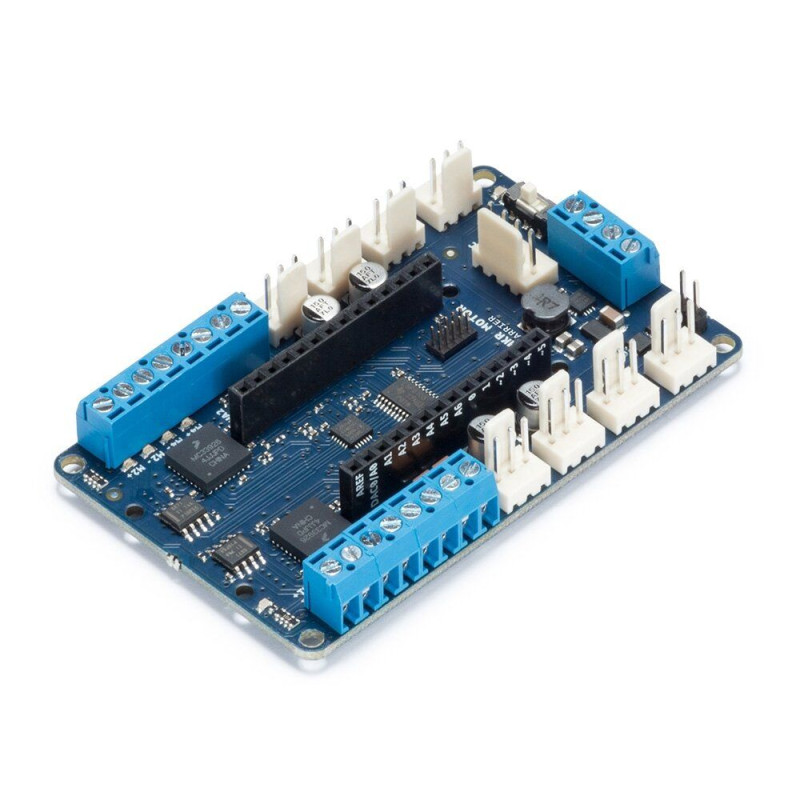
TheArduino MKR Motor Carrier is an MKR add-on board designed to control servo motors, DC motors, and stepper motors. This expansion board can also be used to connect other actuators and sensors via a series of 3-pin connectors.
MAIN FEATURES:
- Compatible with all MKR family boards
- Four servo motor outputs
- Four DC motor outputs (two high-performance + two standard versions)
- Current feedback detection for high performance motors
- Two inputs for encoder sensors
- Four inputs for analog sensors (3-pin connector)
- Ability to determine the status of batteries
- ON/OFF switch with power on LED
- LiPo battery connector (compatible with 2S or 3S) and terminal power supply for alternative power supply
- LEDs visually show the direction of rotation of the DC motors
- On-board processor for automatic control of some outputs
- I2C connector in the form of a 4-pin connector
SPECIFICATIONS:
Microcontroller: ATSAMD11 (Arm Cortex-M0 + processor)
Maximum current (MC33926): 5 A peak, rms current depending on the degree of heat dissipation
Maximum current (DRV8871): 3 A peak, current limited by a current sensing resistor.
Rated voltage: 6.5 to 11.1 V
Reverse current protection: yes
Overheating protection (for DC motor drivers): Yes
Clock frequency: 48 MHz
Built-in voltage regulator: 5В
Interface: terminal block and 3-pin / 4-pin connector
Compatibility: MKR Family
TheMKR Motor Carrier is equipped with two MC33926 motor drives for high-performance DC motor control with direct connection to the MKR1000, current feedback, and up to 5 amps (peak). In addition, there are two DRV8871 drivers that are controlled from the SAMD11 microcontroller, which communicates with the MKR1000 via I2C (optional SPI). The SAMD11 is also used to control the servos, read encoders, and read battery voltage. There is an interrupt line connecting the SAMD11 (on PA27) and the MKR board. Please note that for long-life motors or high current motors, an additional heatsink (and possibly a fan) may be required for the drivers. When connecting the MKR1000 and the carrier, some pins are no longer available for use in your code, as they will be needed to control some of the functions of the carrier. For example, the current feedback from the two MC33926 drivers is connected directly to some of the analog pins on the MKR1000. The following list explains which pins on the MKR1000 are used to control this board:
- Analog pin A3 for current feedback from Motor3
- Analog pin A4 for current feedback from Motor4
- Digital pin D2 for IN2 signal for Motor3
- Digital pin D3 for IN1 signal for Motor3
- Digital pin D4 for IN2 signal for Motor4
- Digital pin D5 for signal IN1 for Motor4
- Digital pin D6 for interrupt signal from SAMD11 to MKR1000
- Digital pin D11 for SDA (I2C) signal
- Digital pin D12 for SCL (I2C) signal
Additionally, some pins can be connected via a jumper or 0 ohm resistor. These pins are:
- Digital pin D1 for SF signal from MC33926 drivers (optional)
- Digital pin D7 for SPI SS signal (optional)
- Digital pin D8 for SPI MOSI signal (optional)
- Digital pin D9 for SPI SCK signal (optional)
- Digital pin D10 for SPI MISO signal (optional)
To use the Carrier, you need to connect an MKR board (MKR1000, MKR Zero, or other) to the connector in the center of the board. Make sure that the MKR board is connected in the correct direction. You can do this by making sure that the information printed on the side of the connector matches both the MKR and the Carrier.
Once the board is properly connected to the carrier, you can start programming the board. To control the motors, you need to import the MKR Motor Carrier library.
When working with motors, you will need an external power supply to power the motor drivers and turn on the motors. You can do this by connecting the LiPo Battery to the battery socket or by using an external power supply and connecting it to the VIN input on the terminal block. It is recommended to perform these operations with the power switch in the OFF position. After connecting the external power supply to the board, you can turn the power switch on.
There are no reviews for this product.
There are no reviews for this product, be the first to leave your review.
No questions about this product, be the first and ask your question.