Catalog
Home
Wishlist
0
Compare
0
Contacts

Official Raspberry Pi 4 Case Fan

Brand: Raspberry Pi Product Code: SC0448
0
All about product
Description
Specification
Reviews 0
Questions0
new
Official Raspberry Pi 4 Case Fan
In Stock
£4.80
Compatibility:Raspberry Pi 4 Model B
Cooling type:Active cooling
Country of origin:Made in UK
Type of accessory:Cooling systems
Delivery
Royal Mail 1st Class
£3.50
DHL Express
DHL Express
£9.99
Payment
ApplePay ApplePay
Google Pay Google Pay
bank transfer bank transfer
Secure Payment
Your payment information is processed securely.
We do not store credit card details.
Official Raspberry Pi 4 Case Fan
£4.80
Description

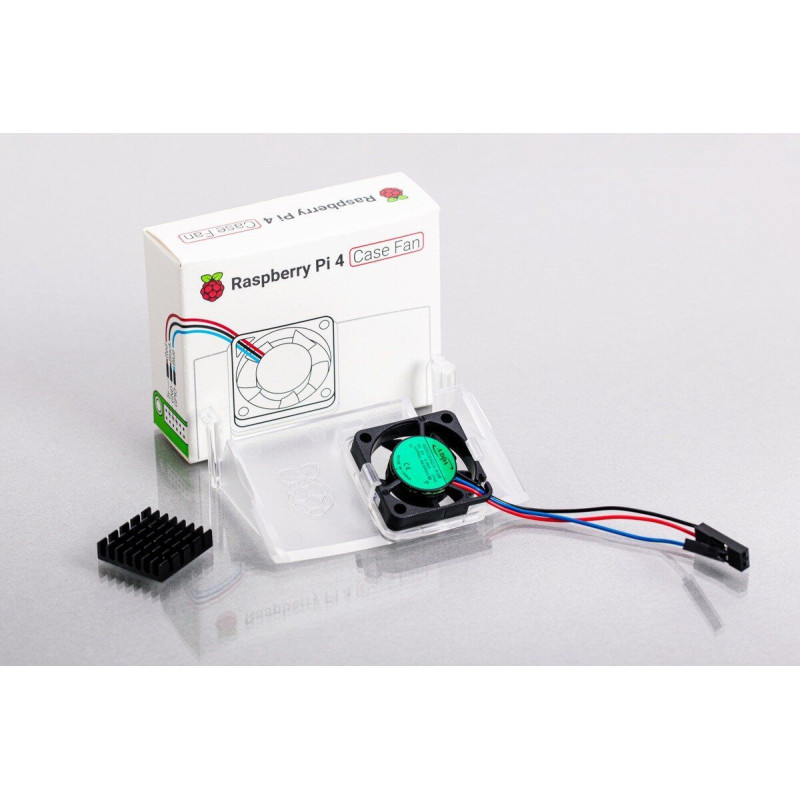
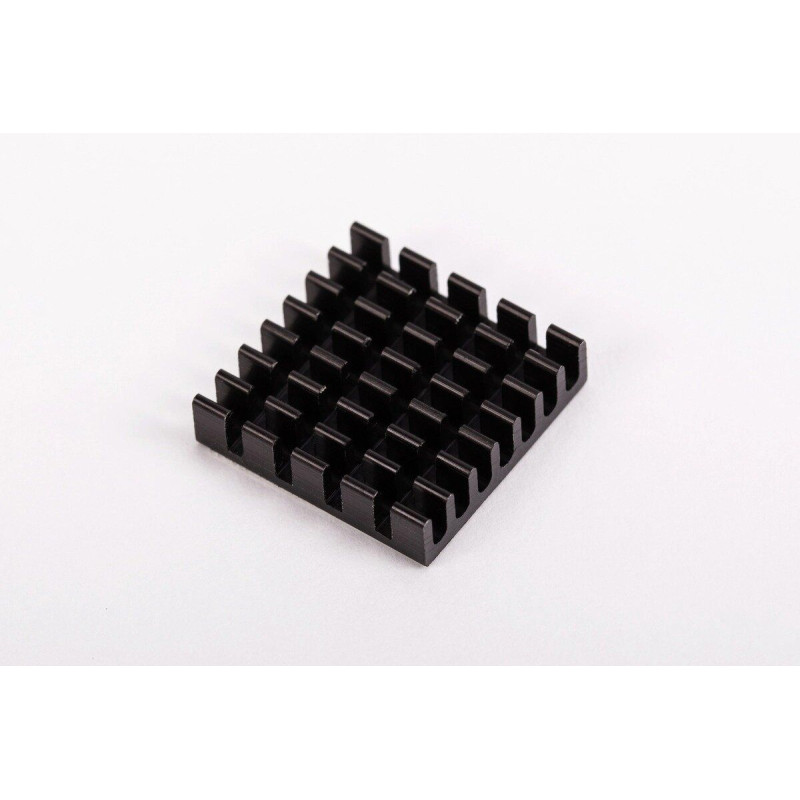
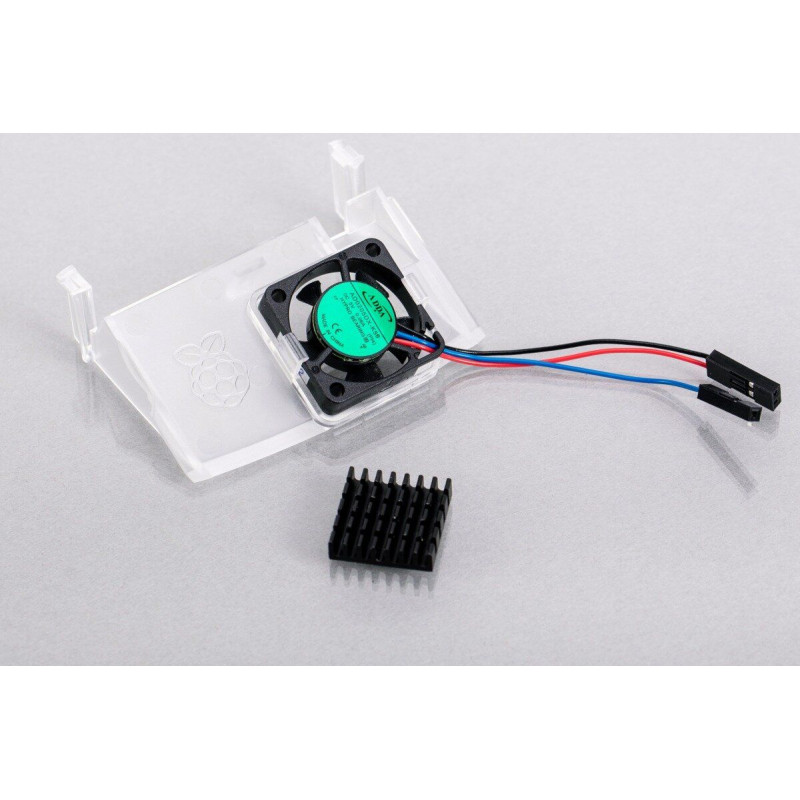
TheRaspberry Pi 4 Case Fan active cooling system is designed specifically for installation in the Raspberry Pi 4 chassis and allows you to maintain the optimal temperature of the microcomputer under heavy load and overclocking conditions. The case of this cooling system, made of transparent plastic, fits perfectly into the configuration of the microcomputer case. The delivery set includes a special cooling radiator on a sticky heat-conducting substrate for sticking to the processor surface. The cooling fan is designed to deliver up to 0.04 cubic meters of air per minute and allows it to be forced inside the chassis, cooling elements such as the processor, memory chips and power management systems.

Specifications:

  • Input voltage: 5 VDC via 40-pin GPIO connector on Raspberry Pi 4
  • Fan speed control: pulse width modulation control via user-selectable GPIO pin
  • Maximum airflow: 0.04 cubic meters per minute
  • Housing material: transparent polycarbonate

Installation procedure:

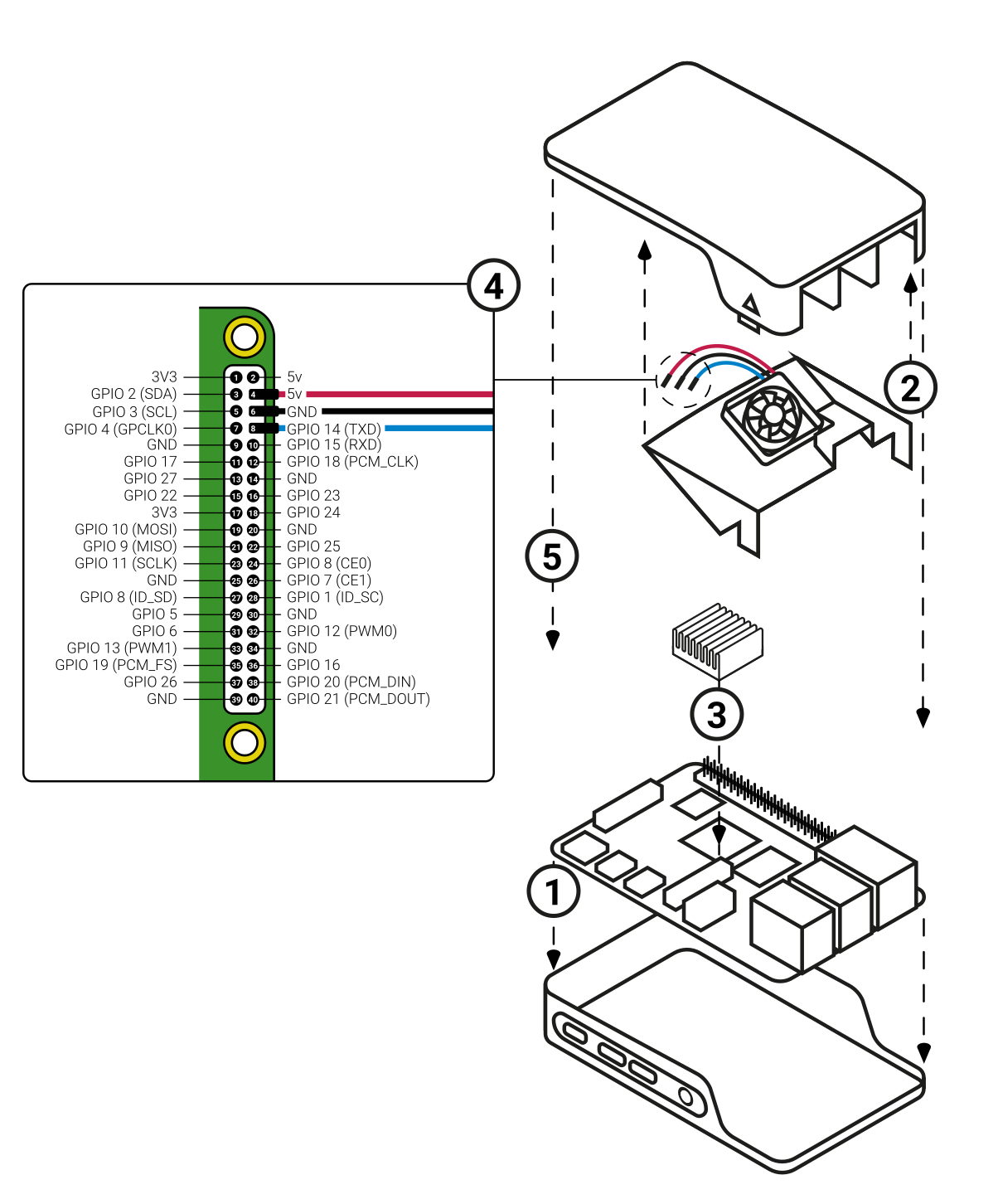
  1. Remove the SD card from the microcomputer if it was installed there.
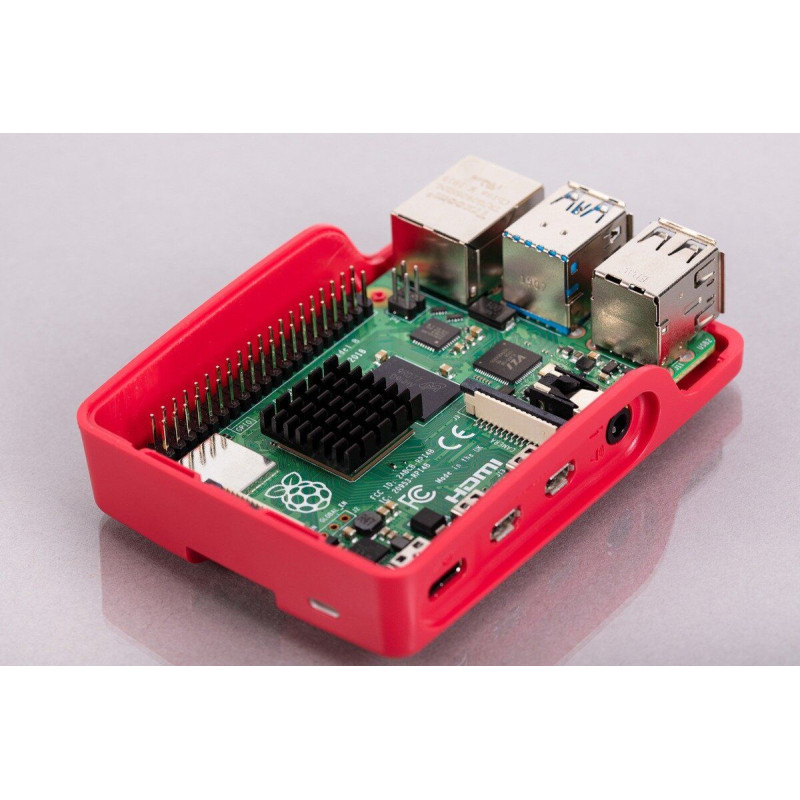
  2. Place the Raspberry Pi in the base of the case (bottom half). Make sure that the mounting holes in the corners coincide with the tabs on the chassis.
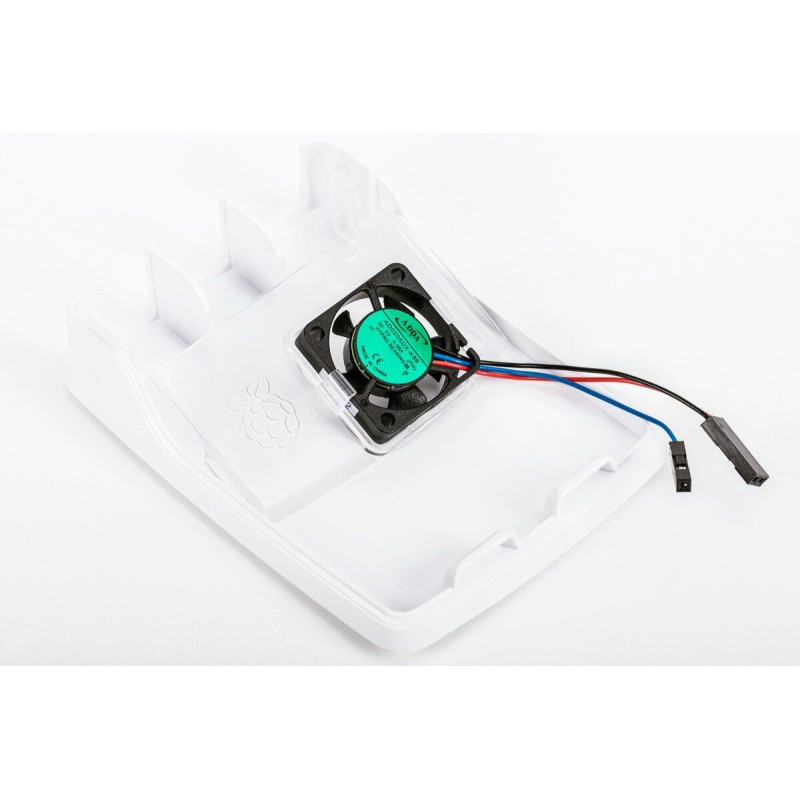
  3. Insert the fan into the lid (top half) of the case with the green label facing away from the lid. Press gently but firmly until the two tabs on the fan housing click into place inside the tabs on the lid. The slightly curved edge of the housing should be flush with the underside of the cover.
  4. Install the cooling radiator on the processor. To do this, remove the paper backing with the gasket label on the base of the heatsink, place it in the center above the processor, and gently press it in.
  5. Connect the three pins of the fan to the GPIO pins of the Raspberry Pi, as shown in the diagram below. Carefully check that each pin is connected to the correct pin.
  6. Replace the case cover on the base.


Turning on the fan

The fan will automatically turn on when you turn on the Raspberry Pi. You can configure it to turn on only when the Raspberry Pi reaches a specified temperature threshold.

If you are using the Raspberry Pi operating system, update it to the latest version. To do this:

  1. Open the Terminal either from the Start menu (click the Raspberry Pi icon in the upper left corner) or by pressing Control + Alt + T.
  2. Type sudo apt update, and then when the update is complete, type sudo apt full-upgrade.
    Then open the Raspberry Pi Configuration tool:
  3. Click the Raspberry Pi icon in the upper left corner and select "Settings", then "Raspberry Pi Configuration".
  4. Select the Performance tab.
  5. Next to Fan , click Enabled.
  6. If you have connected the fan according to the above diagram, then the default value of 14 for the Fan GPIO does not need to be changed.
  7. Select the Fan Temperature at which the fan should turn on. The default value is 80°C. This will allow you to work in no-load modes with the fan off, and when complex calculations and the processor heats up, the system will automatically turn on and maintain the required operating temperature.

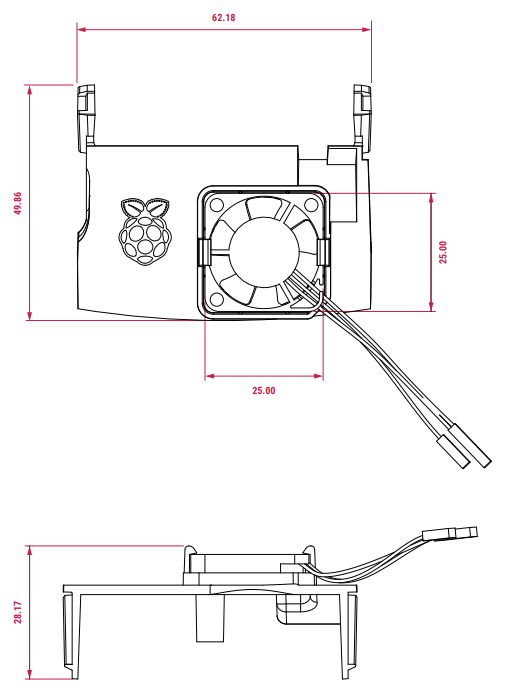
Overall dimensions (mm):

Specifications
Main characteristics
Compatibility
Raspberry Pi 4 Model B
Cooling type
Active cooling
Country of origin
Made in UK
Type of accessory
Cooling systems
Reviews

There are no reviews for this product.

There are no reviews for this product, be the first to leave your review.

Answers & questions
Add your question and we will answer as soon as possible.

No questions about this product, be the first and ask your question.