We do not store credit card details.
M.2 HAT+ expansion card
We do not store credit card details.
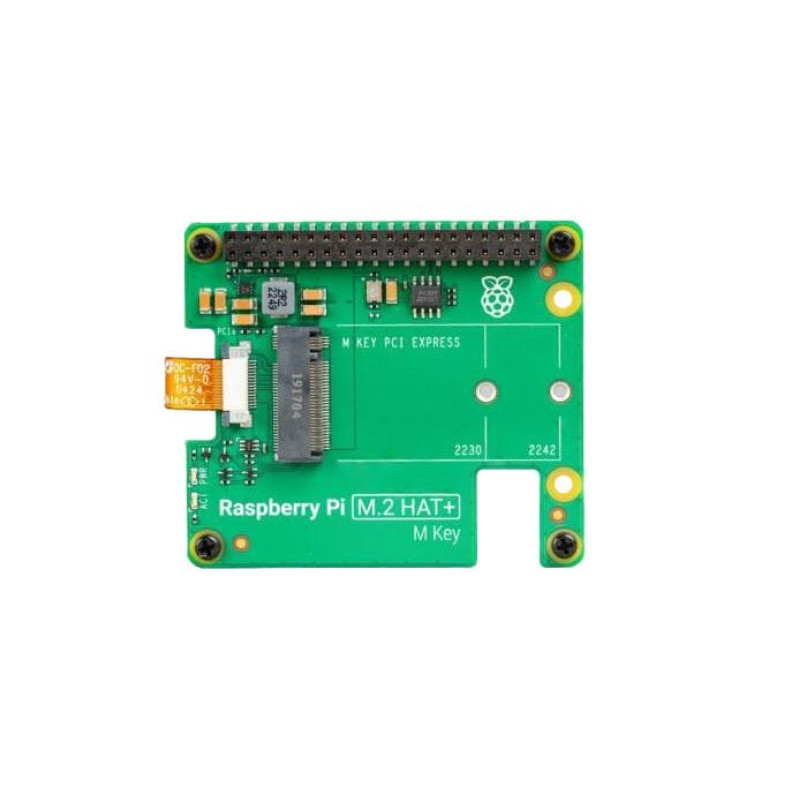
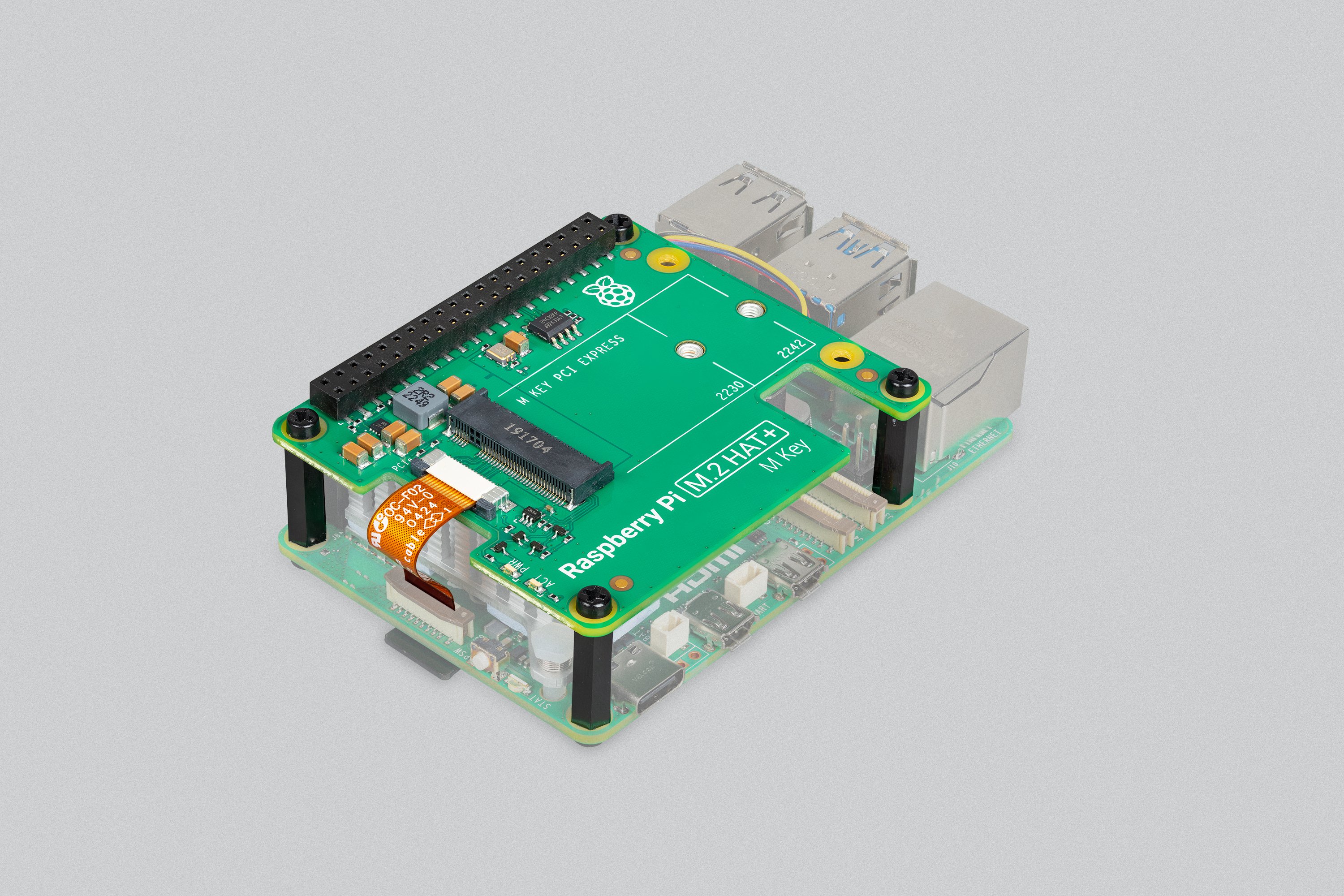
TheM.2 HAT+ Expansion Board is an official expansion board for the Raspberry Pi5, designed to add M.2 SSD connectivity to the Raspberry Pi minicomputer. This board provides fast data access and significant storage expansion, which is ideal for a variety of projects including servers, data storage, and the Internet of Things (IoT).
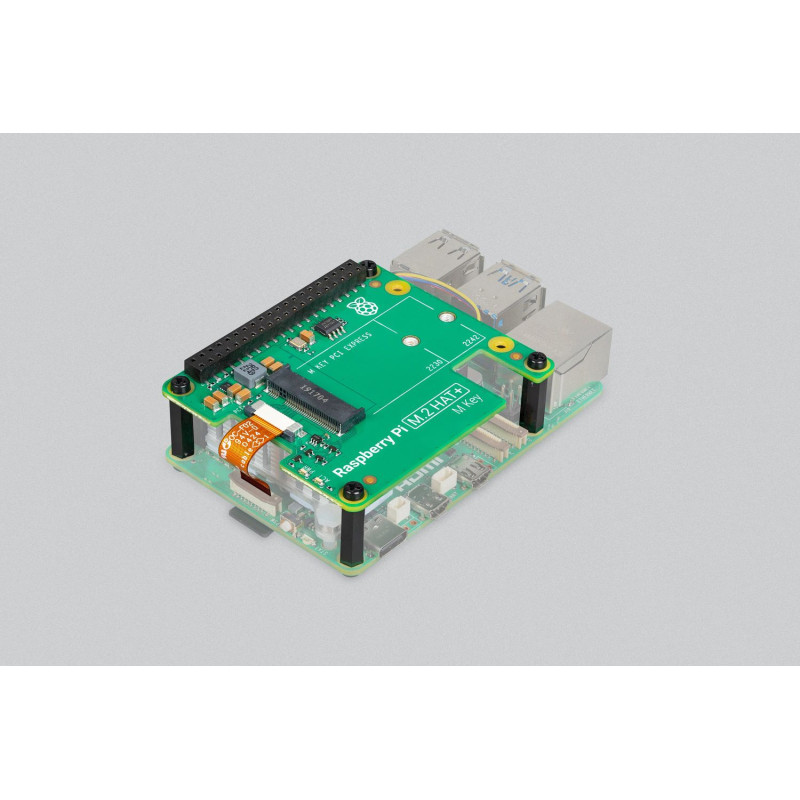
This card allows you to connect M.2 peripherals such as NVMe drives and other PCIe accessories to the Raspberry Pi 5's PCIe interface. The M.2 HAT+ adapter card converts the PCIe connector on the Raspberry Pi 5 to a single M.2 M edge connector. You can connect any device that uses the 2230 or 2242 form factors. M.2 HAT+ can provide up to 3A of power.
The M.2 HAT+ uses the Raspberry Pi HAT+ specification, which allows the Raspberry Pi OS to automatically detect the HAT+ and any connected devices.
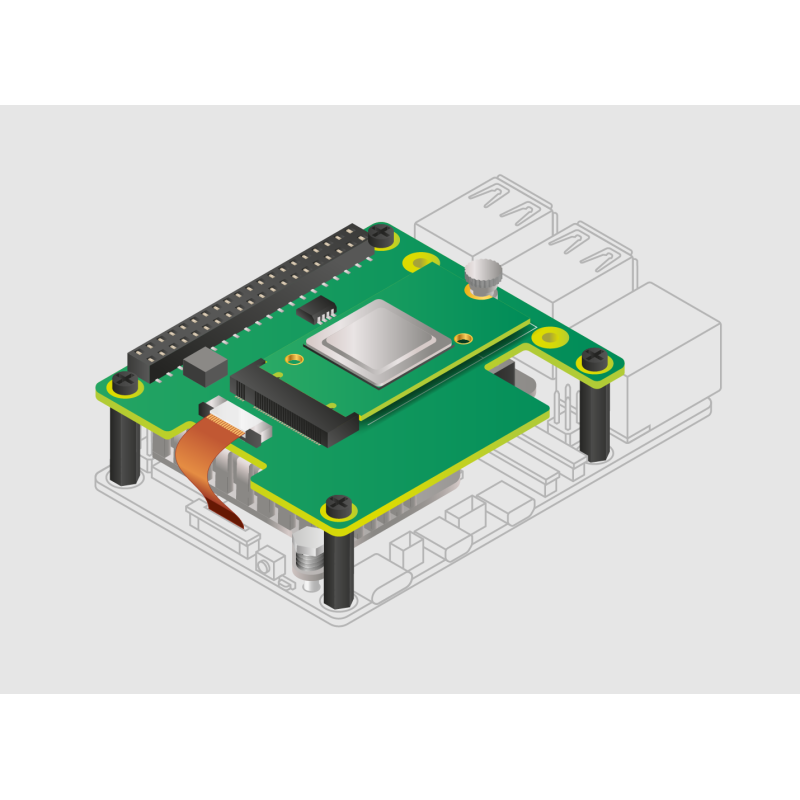
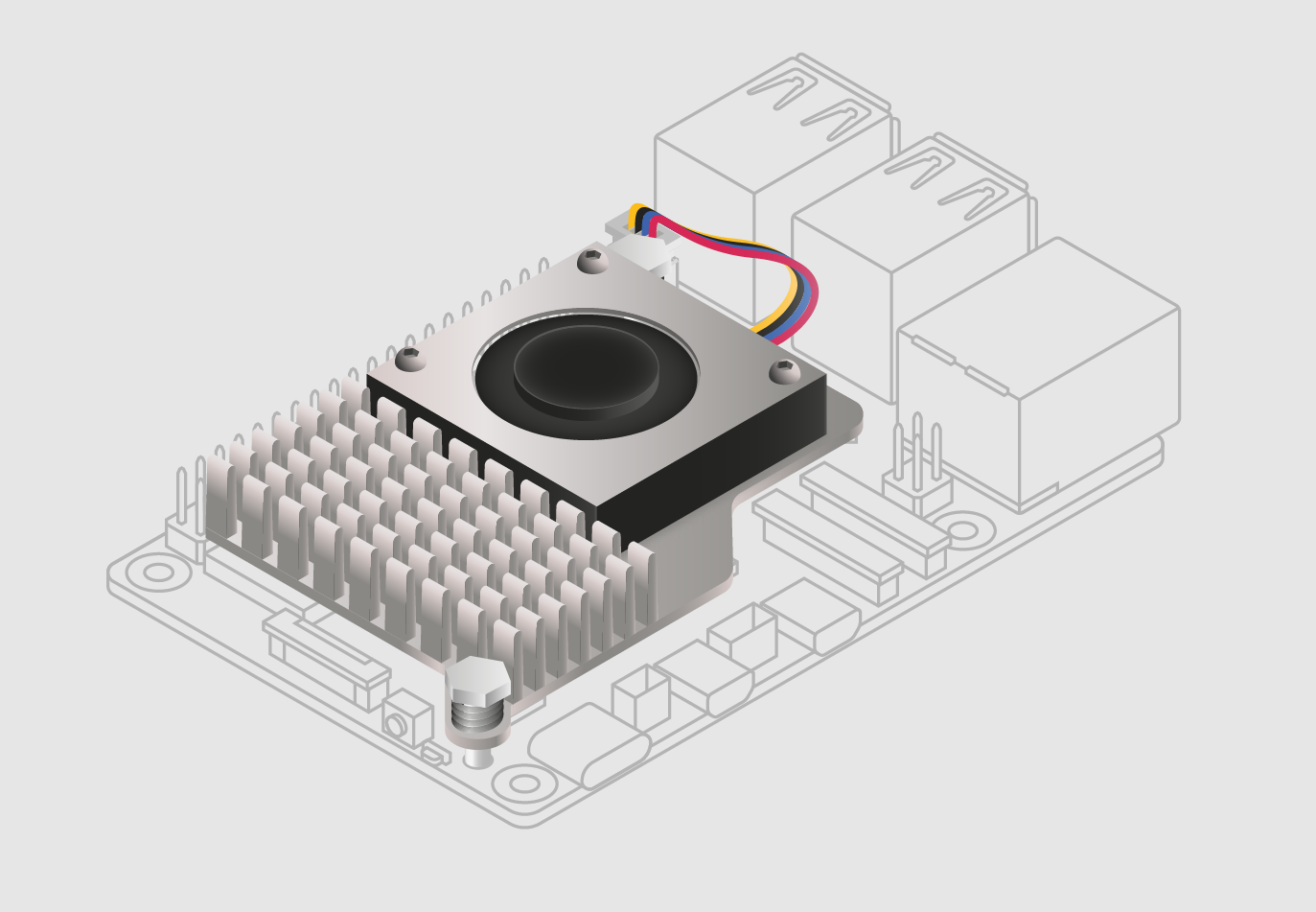
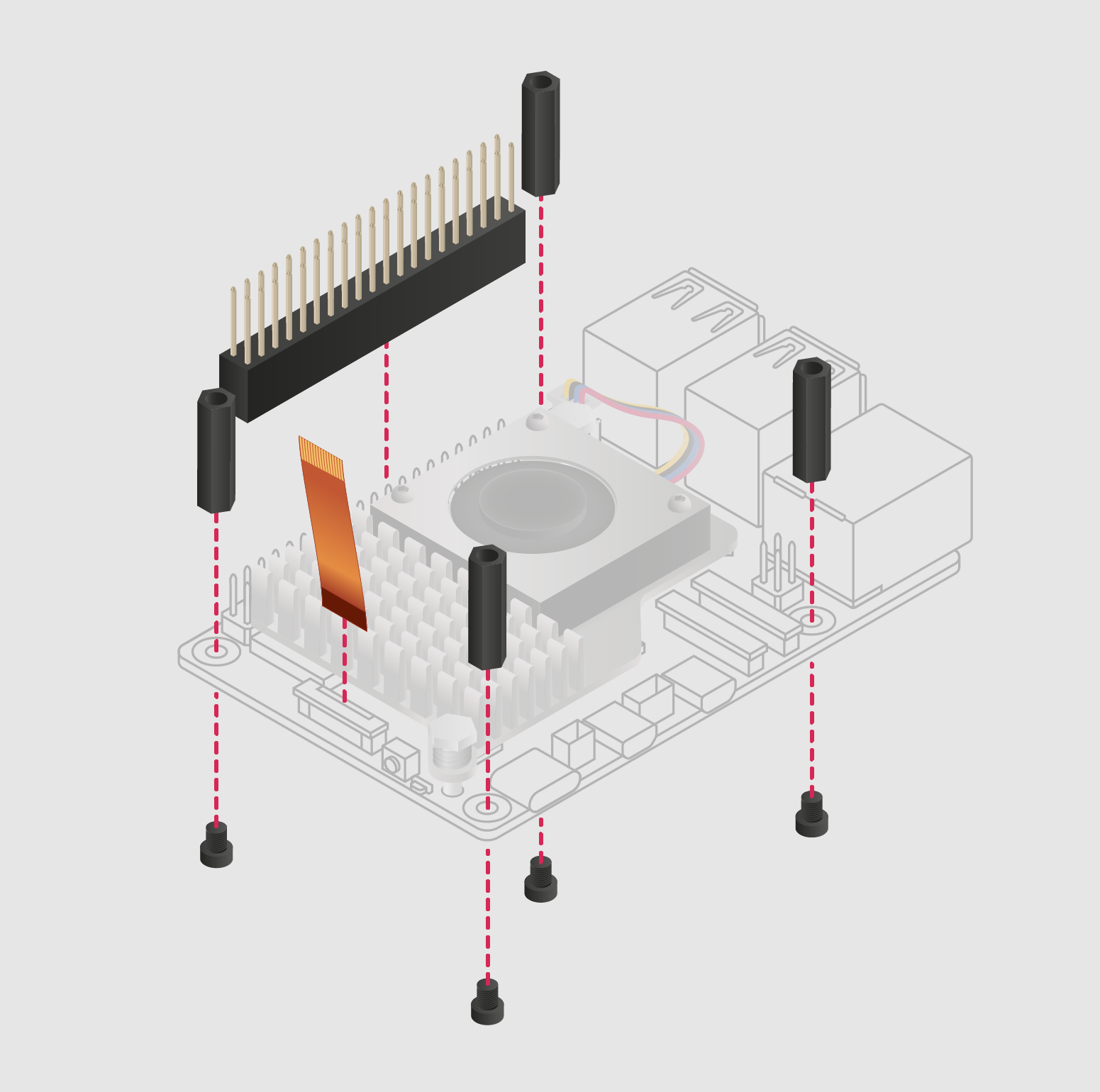
The included threaded spacers provide enough space to install an active Raspberry Pi cooler under the M.2 HAT+.
The M.2 HAT+ is only compatible with the Raspberry Pi case for the Raspberry Pi 5 if you remove the included cover and fan.

Key benefits:
- Increased storage: Adds a significant amount of high-speed storage to your device.
- Improved performance: Quickly access data with NVMe SSD support.
- Easy installation: Easily installs and configures without requiring additional skills.
- Flexibility: Suitable for a variety of applications, from personal projects to professional systems.
Main features:
- Has a single-lane PCIe 2.0 interface (peak data transfer rate of 500 MB/s)
- Supports devices that use the M.2 M edge connector
- Supports devices with a 2230 or 2242 form factor
- Supplies up to 3A of current to connected M.2 devices
- Features power and activity LEDs
- Complies with the Raspberry Pi HAT+ specification
Assembly procedure:
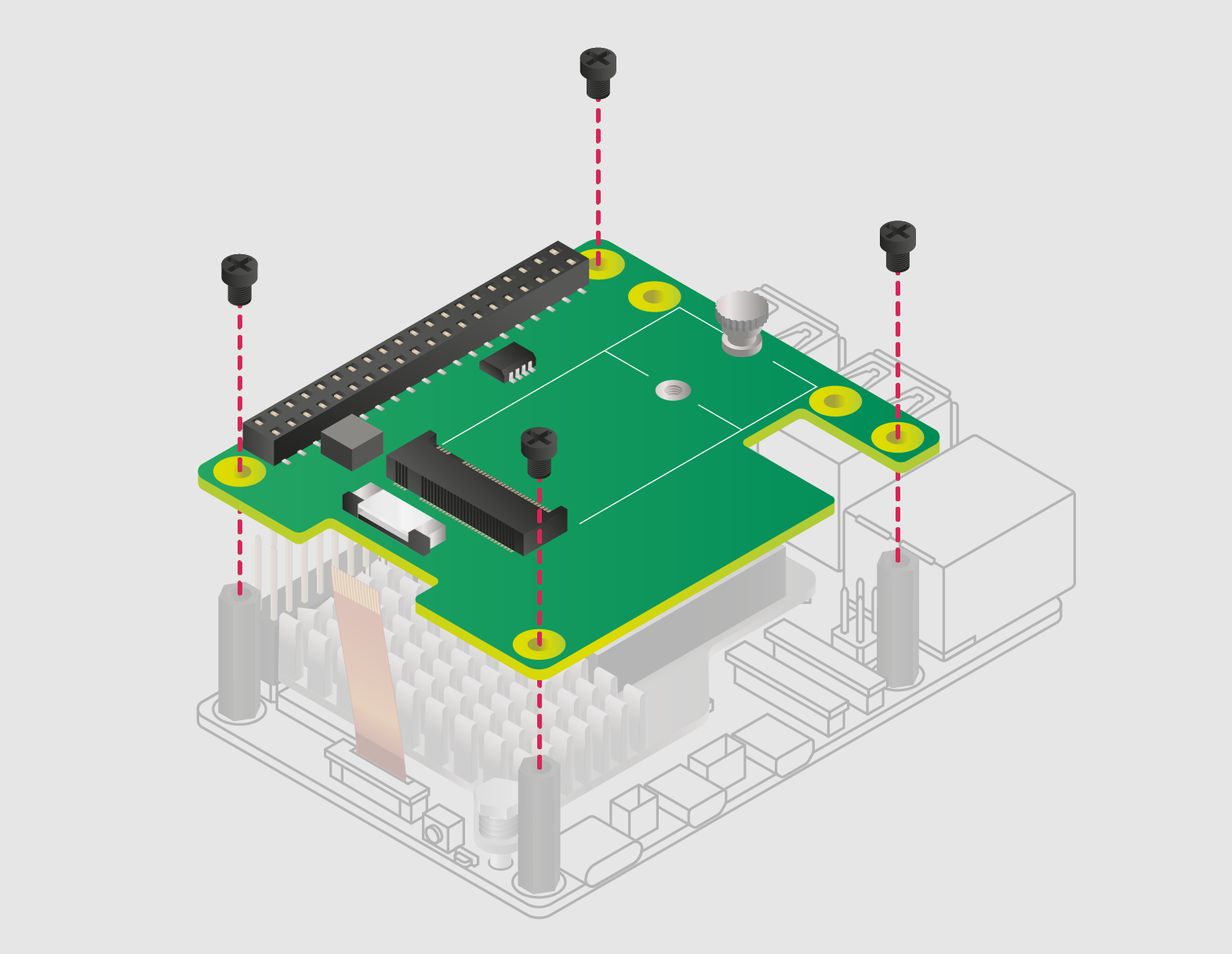
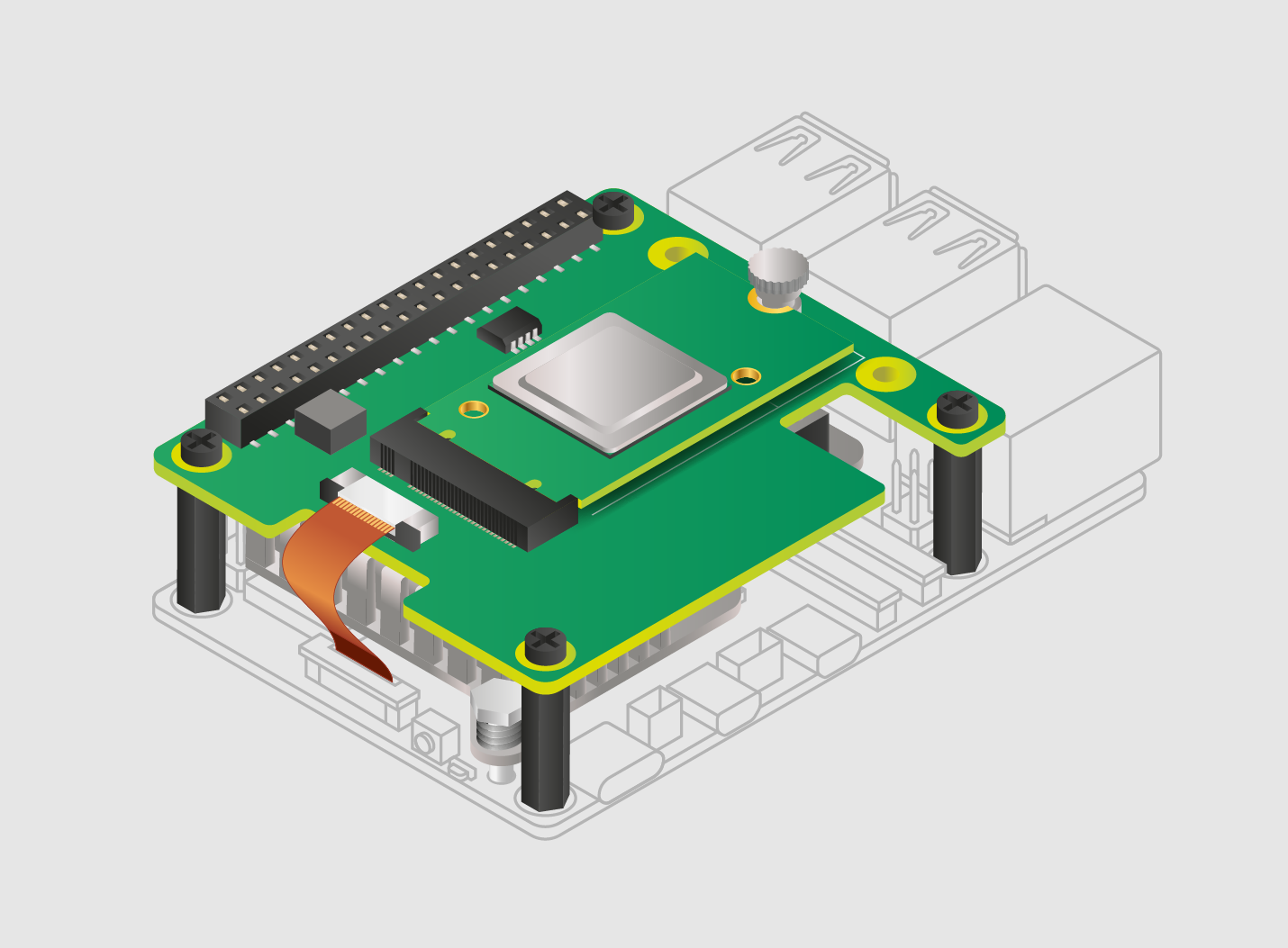
1. Install the spacers using the four screws provided. Firmly press the GPIO stack connector over the Raspberry Pi's GPIO pins; orientation does not matter as long as all pins are in place. Disconnect the ribbon cable from the M.2 HAT+ and insert the other end into the PCIe port of your Raspberry Pi. Lift up the ribbon cable holder on both sides, and then insert the cable with the copper contacts facing inward toward the USB ports. Once the ribbon cable is fully and evenly inserted into the PCIe port, push the cable holder down on both sides to securely lock the ribbon cable in place.
2. Place the M.2 HAT+ on the spacers and secure it with the four remaining screws.
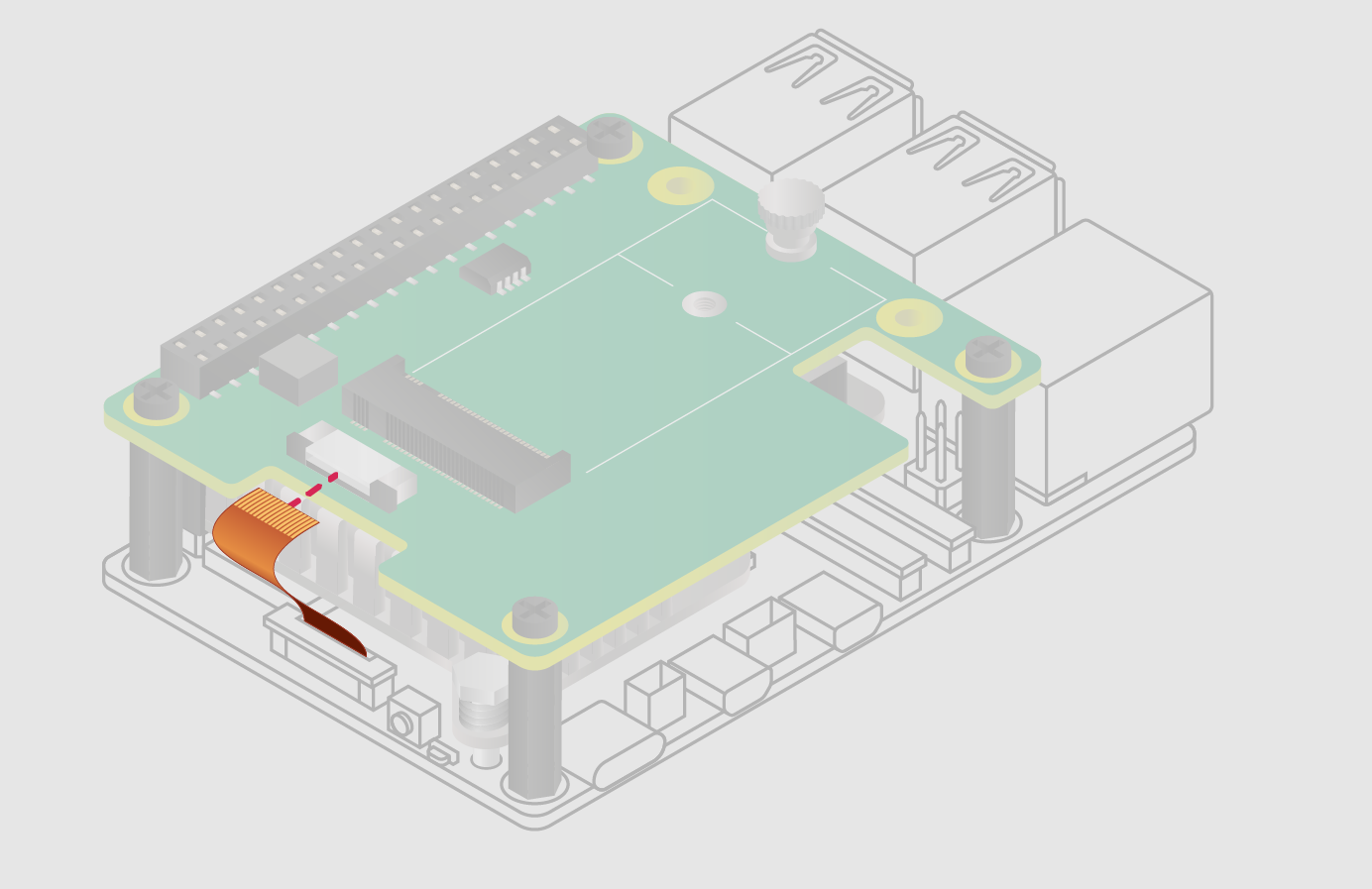
3. Insert the ribbon cable into the slot on the M.2 HAT+. Lift up the ribbon cable holder on both sides, and then insert the cable with the copper contacts facing up. Once the ribbon cable is fully and evenly inserted into the port, push the cable holder down on both sides to securely lock the ribbon cable in place.
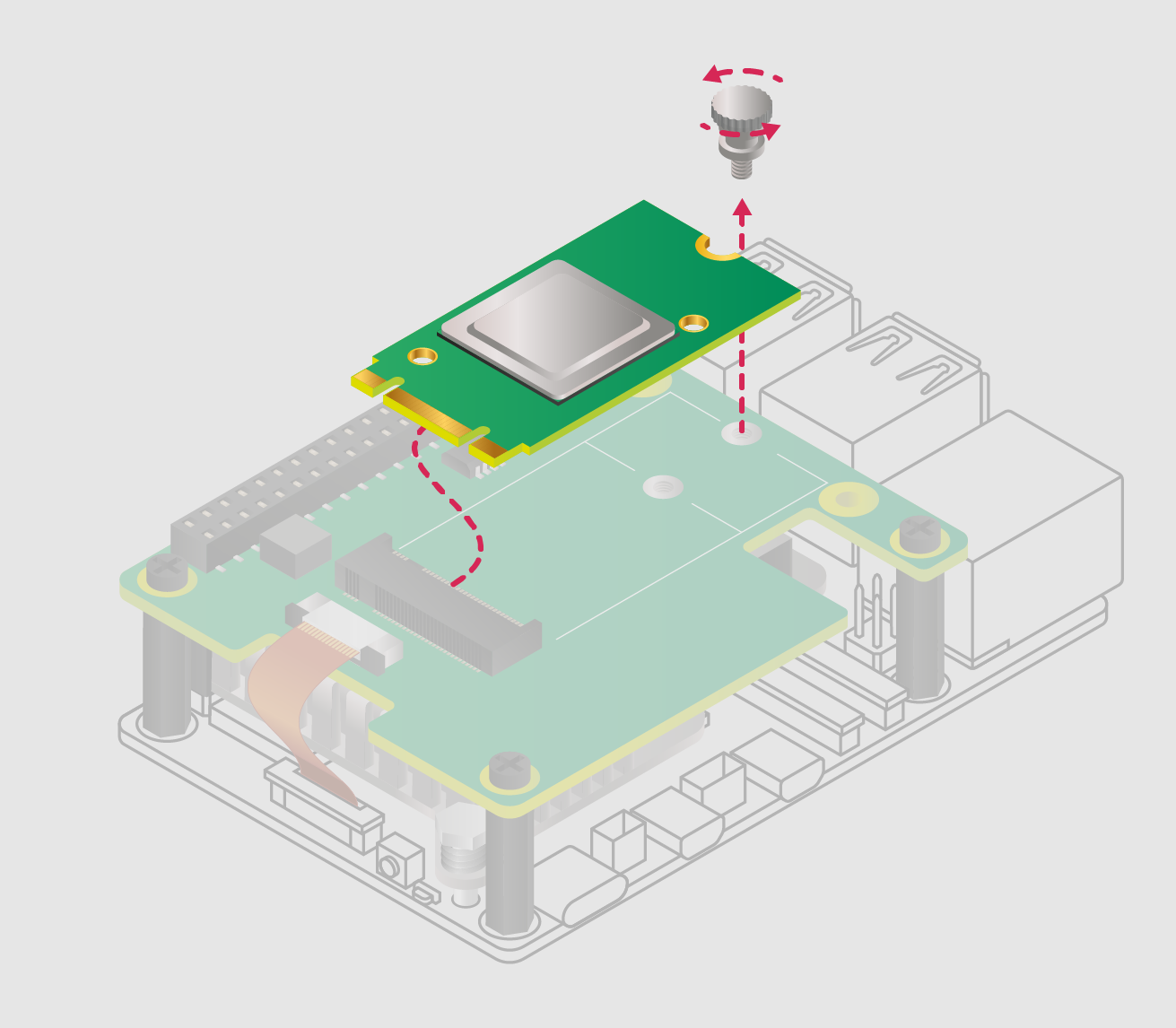
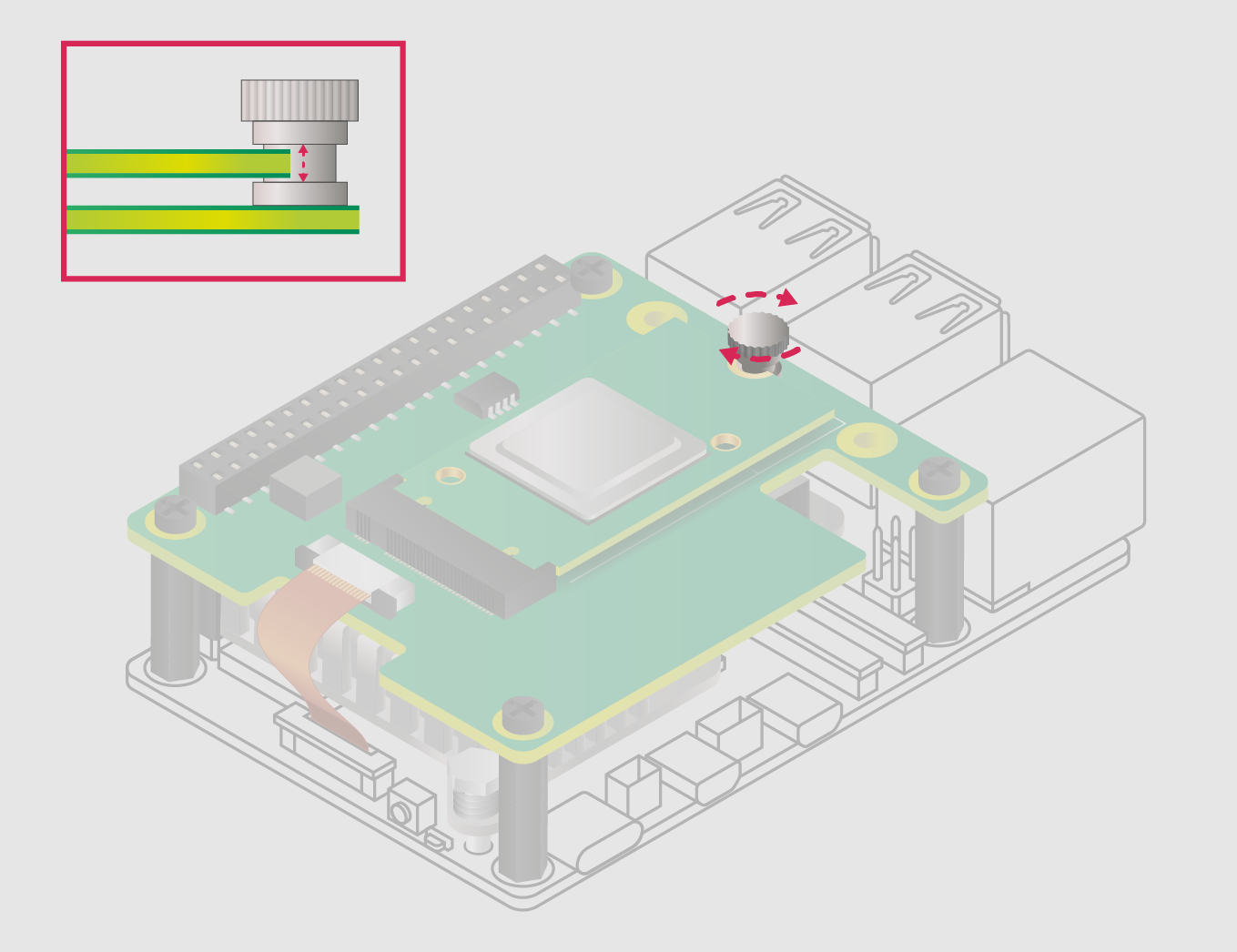
4. Remove the drive mounting screw by turning it counterclockwise. Insert the M.2 solid-state drive into the M.2 slot by sliding the drive into the slot at a slight upward angle. Do not force the drive into the slot; it should slide in smoothly.
5. Insert the groove on the drive's mounting screw into the slot at the end of the M.2 drive. Press the drive against the M.2 HAT+ and insert the SSD mounting screw, turning the screw clockwise until the SSD is secure. Do not overtighten the screw.
WARNING: Always disconnect the Raspberry Pi from the power supply before connecting or disconnecting the device from the M.2 slot.


Scope of delivery:
- M.2 HAT+ board x1
- Ribbon cable x1
- 16 mm GPIO stack connector x1
- 4 threaded spacers x1
- 8 screws x1
- Double-flange mounting screw for fixing and supporting the M.2 peripheral x1
There are no reviews for this product.
There are no reviews for this product, be the first to leave your review.
No questions about this product, be the first and ask your question.